Exploring AWS Lambda: A Practical Guide to Automating EC2 Instance Management
Introduction
Embark on a hands-on journey into the realm of AWS Lambda with this engaging activity. In this lab, we'll delve into the creation of an AWS Lambda function and the orchestration of automated tasks through Amazon EventBridge. Our primary focus will be on developing a Lambda function that leverages an AWS Identity and Access Management (IAM) role, enabling it to autonomously halt a running Amazon Elastic Compute Cloud (Amazon EC2) instance within your AWS account.
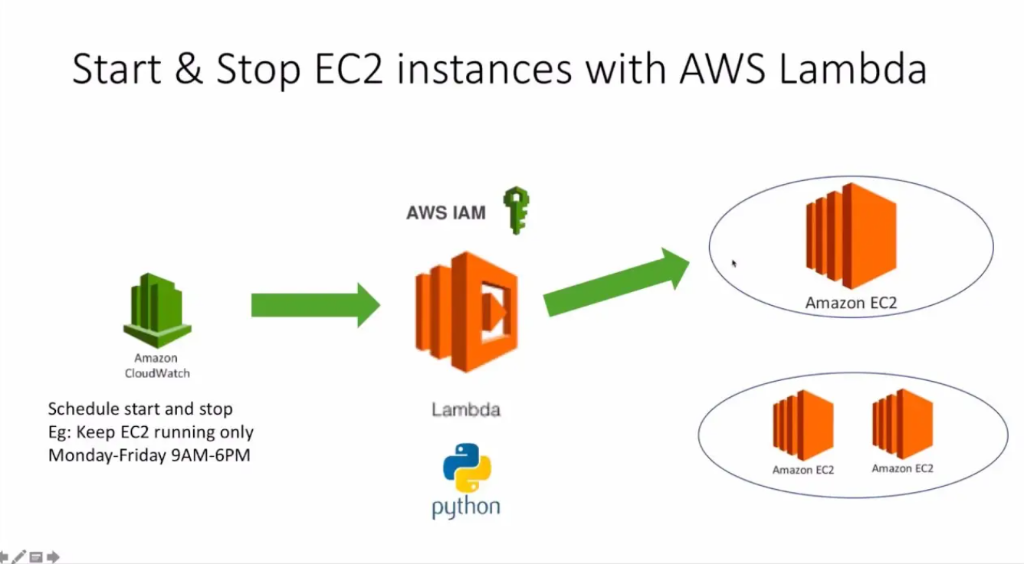
In this guide, you’ll master:
- IAM Role & Policy Configuration
- Serverless Python Lambda Functions
- Event-Driven Automation Flow
- Real-world EC2 Lifecycle Management
Why Automate EC2 Management?
Manual Management
- Human error & oversight
- High operational costs
- Wasted cloud resources
- Security risks from idle instances
Automatedwith Lambda
- Precision scheduled execution
- Zero-touch resource optimization
- Massive cloud cost savings
- Enhanced security posture
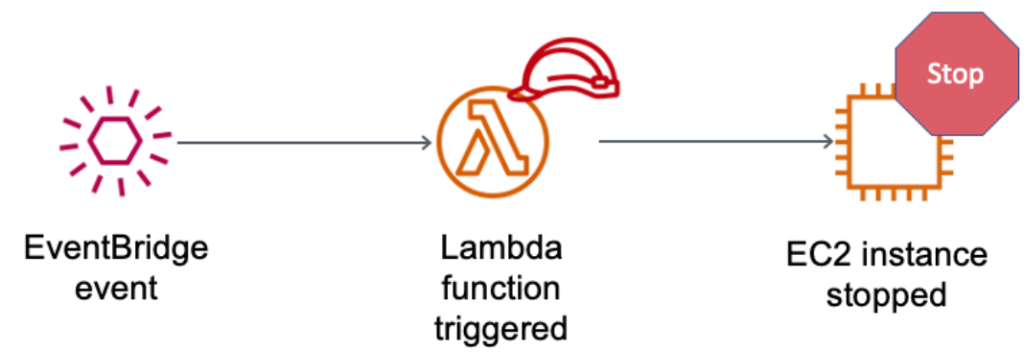
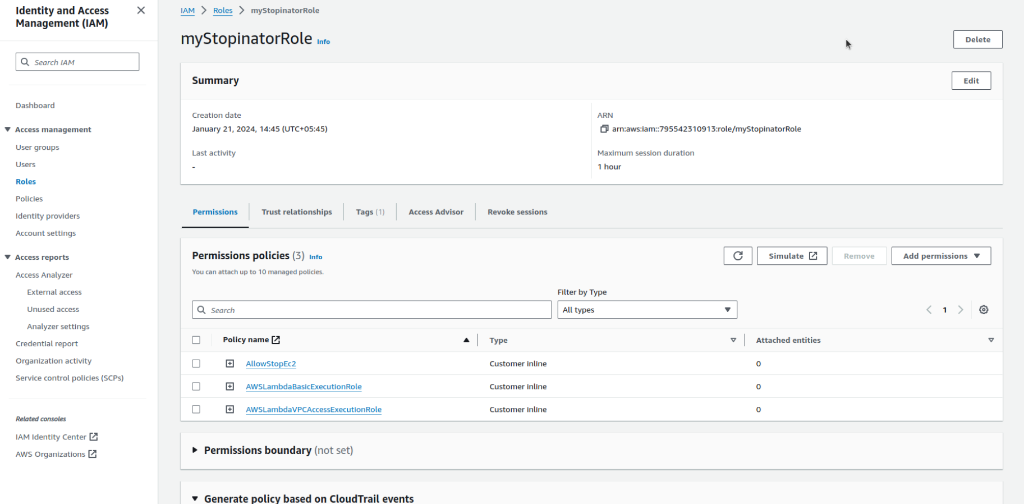
Task 1: IAM Role Configuration
- Open the AWS Management Console and navigate to the IAM service.
- In the left navigation pane, click on "Roles" and then "Create role".
- Choose "AWS service" and select "Lambda" as the use case.
- Attach policies: AmazonEC2FullAccess and AWSLambdaBasicExecutionRole.
- Name the role
myStopinatorRoleand create it.

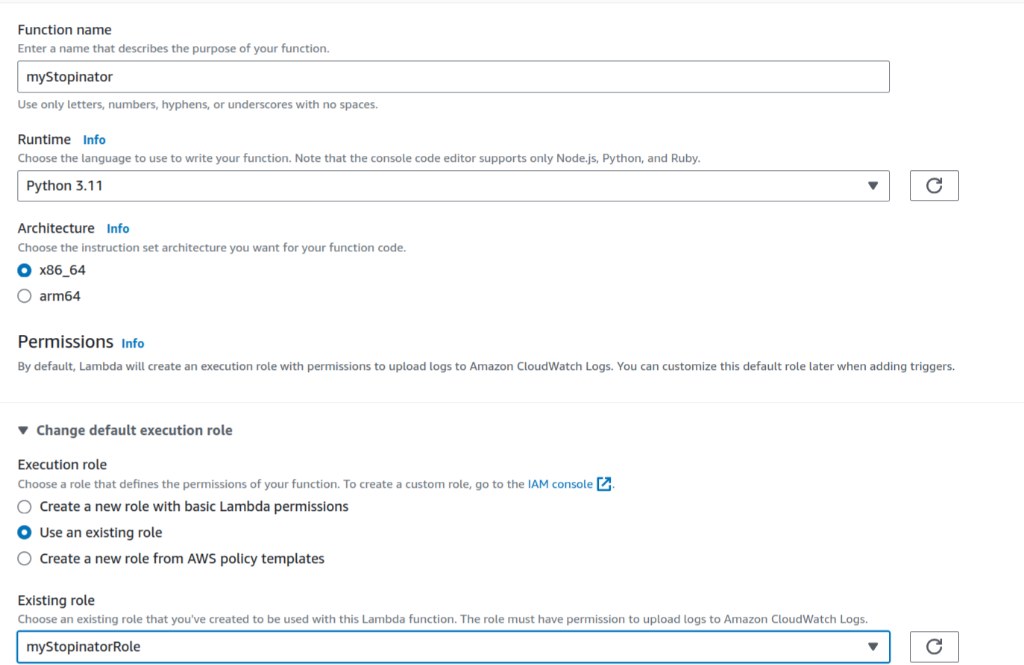
Task 2: Create a Lambda function
Navigate to the Lambda console and configure these settings:
- Function name:
myStopinator - Runtime: Python 3.11
- Execution role: Use existing role (
myStopinatorRole)
Task 3: Configure the trigger
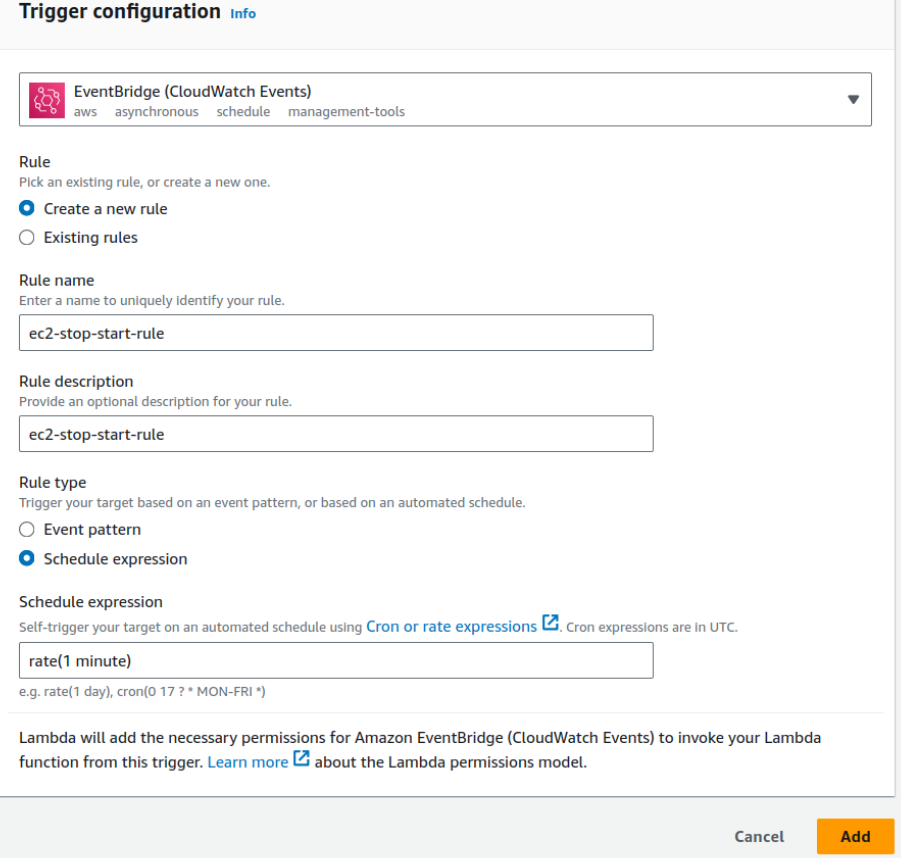
Add a trigger for EventBridge (CloudWatch Events) with a new rule:
- Rule name:
everyMinute - Schedule expression:
rate(1 minute)
Task 4: Configure the Lambda function
Paste the following Python code into the lambda_function.py editor:
import boto3
region = 'us-east-1' # Replace with your region
instances = ['i-0317320fde6661814'] # Replace with your Instance ID
ec2 = boto3.client('ec2', region_name=region)

def lambda_handler(event, context):
    ec2.stop_instances(InstanceIds=instances)
    print('stopped your instances: ' + str(instances))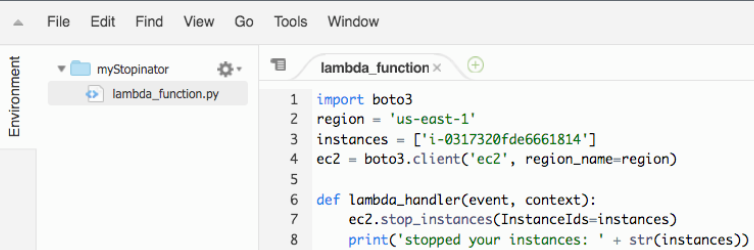
Conclusion
By completing this lab, you've gained practical insight into serverless automation. You now understand how to orchestrate AWS services (Lambda, EventBridge, IAM) to manage resources efficiently and reduce operational overhead.